Storm Evolution FAQ
Storm Evolution is a free community mod for a retail Steam copy of STORM 4. You install its launcher into the game folder, update and validate it, then launch the mod's own executable. Storm Connections content needs the Next Generations DLC, and your progress is kept in the mod's own save file.
Getting it running
Is Evolution free? Yes. It is a fan-made project, distributed through its own launcher. You still buy STORM 4 itself.
Which game do I need? A retail copy of NARUTO SHIPPUDEN: Ultimate Ninja STORM 4 from Steam. Full detail on the retail Steam copy page.
Does a cracked copy work? Treat Steam as the requirement. The install guide lists retail Steam builds, the online layer is built around Steam, and the launcher lives inside a Steam game folder.
Where do I get it? From the mod's official site, which links its own launcher, Discord, changelog and Nexus page — see official links.
How big is the download? Tens of gigabytes for the mod files, on top of the base game's 40 GB requirement. Check free disk space before you start.
Requirements and DLC
Do I need the DLC? For Storm Connections characters, stages and costumes, yes — the Next Generations DLC. The rest of the mod works without it. See missing characters.
Do I need to remove other mods? Yes. Move data_win32 out of the game folder first — removing old mods.
Do I have to open the game first? Yes: accept the EULA and get past the title screen so the game writes its save data before you install the launcher.
Playing
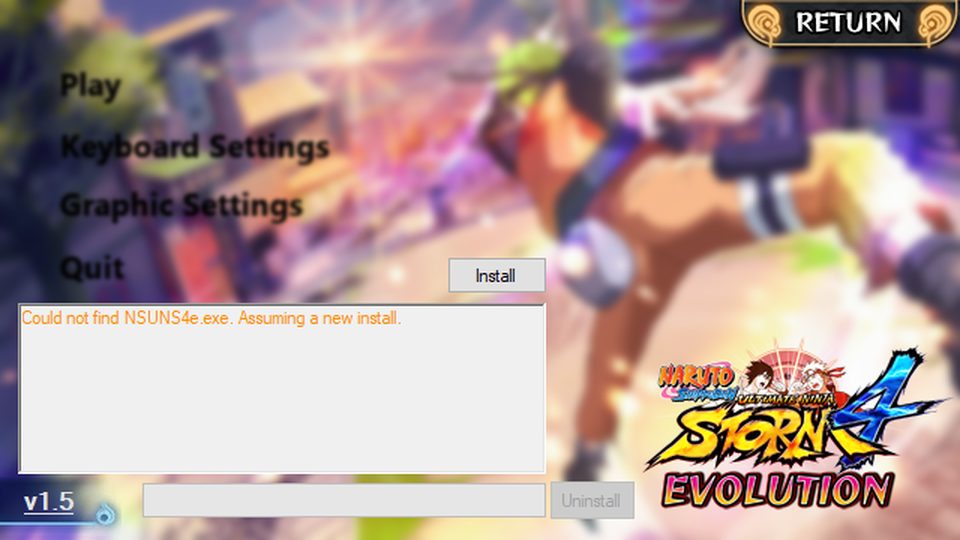
How do I launch it? Through the mod's own executable, or add that exe to Steam as a non-Steam game. Starting STORM 4 from your library runs the unmodified game. See Evolution launcher.
Is there a ranked mode or codes? No. Evolution is a gameplay overhaul; it does not add a code system, and the mod does not publish a tier list. This site does not invent either.
Can I play online? Yes, in the mod's own lobbies — online lobbies.
Does it work on Steam Deck? Players report yes, through Proton; the page records the steps that worked.
Problems
The launcher will not open. Check the game copy, clear old mods, and rule out SmartScreen: launcher problems.
Characters are missing. DLC first for Connections ports, Validate for everything else: missing characters.
Icons are gone and everything is slow. Same root cause, same three-step repair — missing icons and slow motion.
It crashes on start. Validate, verify the game in Steam, then check graphics: crashes and black screens.
Will it wipe my progress? No. The mod keeps its own save file — save file and progress.
Updating
How do I update? Launcher → UPDATER → Validate. After any Steam update to the game, verify the game files first and validate afterwards.