Launcher problems
The launcher usually fails for one of four reasons: the game is not a retail Steam copy, another mod's data_win32 folder is present, Windows SmartScreen blocked the unsigned exe, or the launcher cannot reach Steam — which is the cause of the Could not initialise Steam error players report.
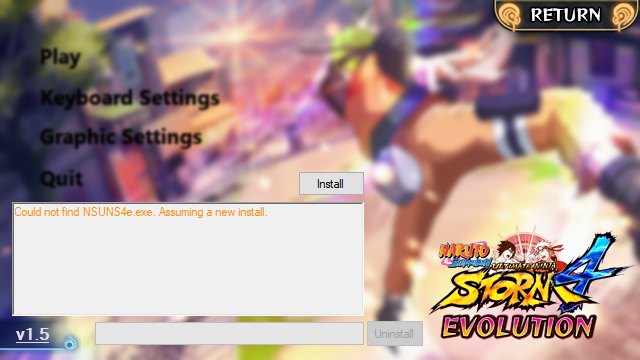
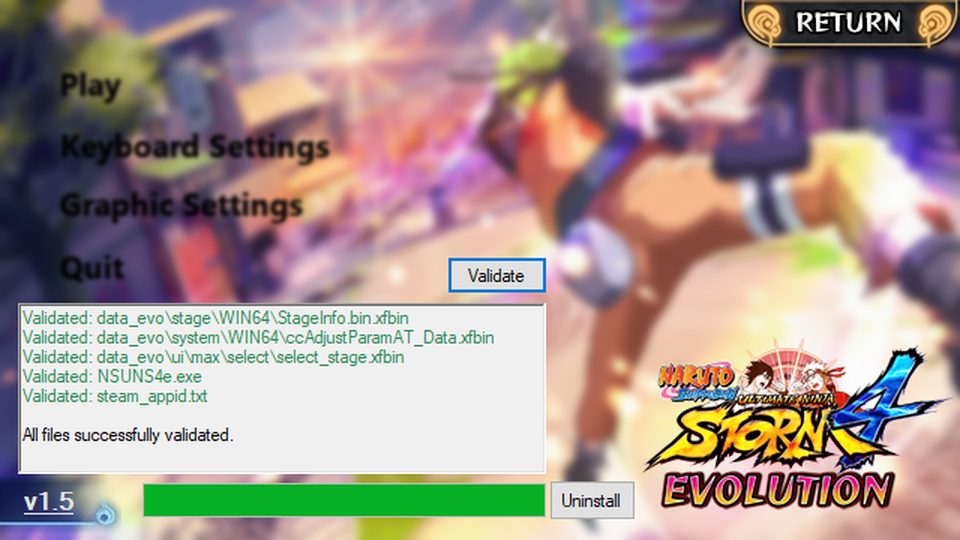
The launcher itself is a small file with no installer. When it will not cooperate, the cause is almost always outside it.
SmartScreen blocked it
Evolution is a community project and not code-signed, so Windows shows "Windows protected your PC". Press More info, then Run anyway. If your antivirus deleted the file instead, restore it from quarantine and add an exclusion for the STORM 4 folder.
Wrong folder
The launcher has to sit in the game directory:
C:\Program Files (x86)\Steam\steamapps\common\NARUTO SHIPPUDEN Ultimate Ninja STORM 4
If it opened from your Downloads folder and behaved oddly, it is in the wrong place. Steam's library entry can tell you the real path — right-click the game, open Properties, and look under Installed Files.
Another mod is in the way
The single most common cause of a launcher that opens and then fails is a leftover data_win32 folder. Move it out and retest: removing old mods.
"Could not initialise Steam"
This error is exactly what it says: the mod starts, then cannot talk to Steam. What to check:
- Steam must be running and logged in.
- Retail Steam copy required. A non-Steam build cannot satisfy the check.
- Try a normal launch once. Start STORM 4 from Steam, get to the title screen, quit, and launch Evolution again. This is what creates the save data the mod's own requirements ask for.
- Antivirus or a VPN interfering with the local Steam connection is worth ruling out by temporarily disabling one at a time.
It opens but the download stalls
The launcher pulls its file set from the mod team's distribution. A stall in the middle of a large download is usually a connection drop, and pressing the updater again generally resumes rather than restarts. If it fails at the same point repeatedly, check free disk space first: a drive that fills up mid-download looks exactly like a network error.
It closed and left nothing behind
Look for the launcher's log or the download staging folder inside the game directory. A download that died part-way leaves a partial file set, and the fix is still Validate — which will re-fetch what is missing rather than starting the whole thing over.
Next steps
If none of this lands, run Steam's file verification, then work the general order on the troubleshooting hub.