Storm Evolution troubleshooting
Work in this order: confirm a retail Steam copy with no other mods, run Steam's file verification, press Validate in the launcher, set the dedicated GPU on a laptop, then match your symptom to the page for your build. Reinstalling from scratch rarely fixes what those five checks do not.
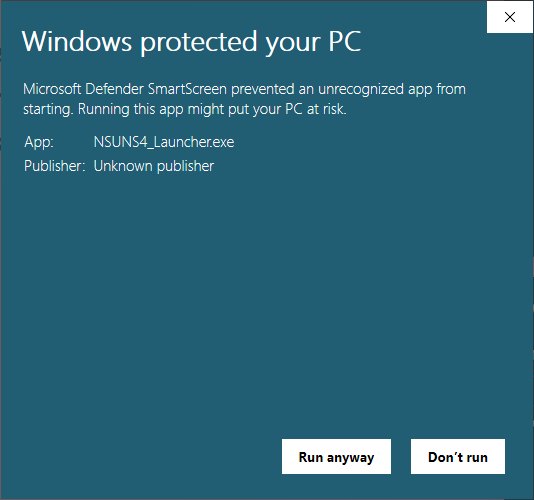
Most Evolution problems are one of five things. This page is the order to check them in, with links to the page that goes deep on each.
1. Is the game a retail Steam copy with no other mods?
The mod's own scope line: retail Steam STORM 4, no existing mods or mod packs, game opened once past the title screen. If any of those is not true, fix that first and retest. Full detail: retail Steam copy, removing old mods.
2. Verify the base game in Steam
Right-click STORM 4 → Properties → Installed Files → Verify integrity of game files. This repairs anything damaged in the base install, which is where missing textures and silent characters usually originate. Then press Validate in the launcher so the mod re-checks its own files on top.
3. Press Validate, not just Install
Install lays the files down once; Validate compares them with what the build expects. Half-loaded stages, characters with no icons and voice lines that drop out are all Validate-shaped problems. After any update, and any time content goes missing, press it.
4. Laptop graphics
NSUNS4e.exe needs to be pointed at the dedicated GPU in Radeon Software or NVIDIA Control Panel. Left alone it tends to run on integrated graphics, which reads as "the mod broke my frame rate".
5. Match the symptom
| What you see | Where to go |
|---|---|
| Launcher will not open, or closes immediately | Launcher problems |
| Game crashes on start, or a black screen | Crashes and black screens |
| Characters or stages are missing from the select | Missing characters |
| Icons gone, everything in slow motion | Missing icons and slow motion |
| Progress or save file issues | Save file and progress |
| Nobody in the online lobbies, or you cannot connect | Online lobbies |
What not to do first
Do not delete the game and re-download tens of gigabytes as step one. Every check above is faster, and a fresh download that lands on a damaged base install or a leftover data_win32 folder reproduces the same fault.
When you report a bug
The Evolution team reads its Discord and its Nexus thread. Bring three things: your build number (the launcher shows it), what you were doing, and whether the five checks above changed anything. "It doesn't work" gets no answer; "1.11, Guy Eight Gates ultimate, after verifying and validating" gets one.